MCPDBWizard

MCP server generator · Oracle · PL/SQL

Give the model a grant list,
not your Oracle password.

MCPDBWizard reads your Oracle schema and generates an MCP server for the objects you selected — tables, PL/SQL routines, sequences and your carefully curated and tested SQL statements. Not a schema dump. Not a connection. Compiled Java that has no code in it for anything you left out.

Read the quickstart Oracle 12c → 26ai · one container

The config is the whole security model

Reachable by the agent

  • synuser_activity_log_get_by_pk table — one row by primary key, as a JSON object
  • synuser_activity_log_insert table — with _update and _delete, from the same selection
  • synuser_js_admin_getadmintoolinfo PL/SQL routine — records, collections and every OUT parameter
  • synuser_job_id_nextval sequence — the next value, and nothing else

Not reachable, by construction

  • SQL text from the caller — arguments are bind values
  • DDL — create, alter, drop
  • Any object you did not select
  • Any schema the config does not name
  • The Oracle password — it lives in the environment

An agent that can write SQL can write DROP TABLE. An agent holding a tool called synuser_job_id_nextval can take the next job number, because taking the next job number is all the code in front of it does.

Why this shape

Curation happens before the code exists

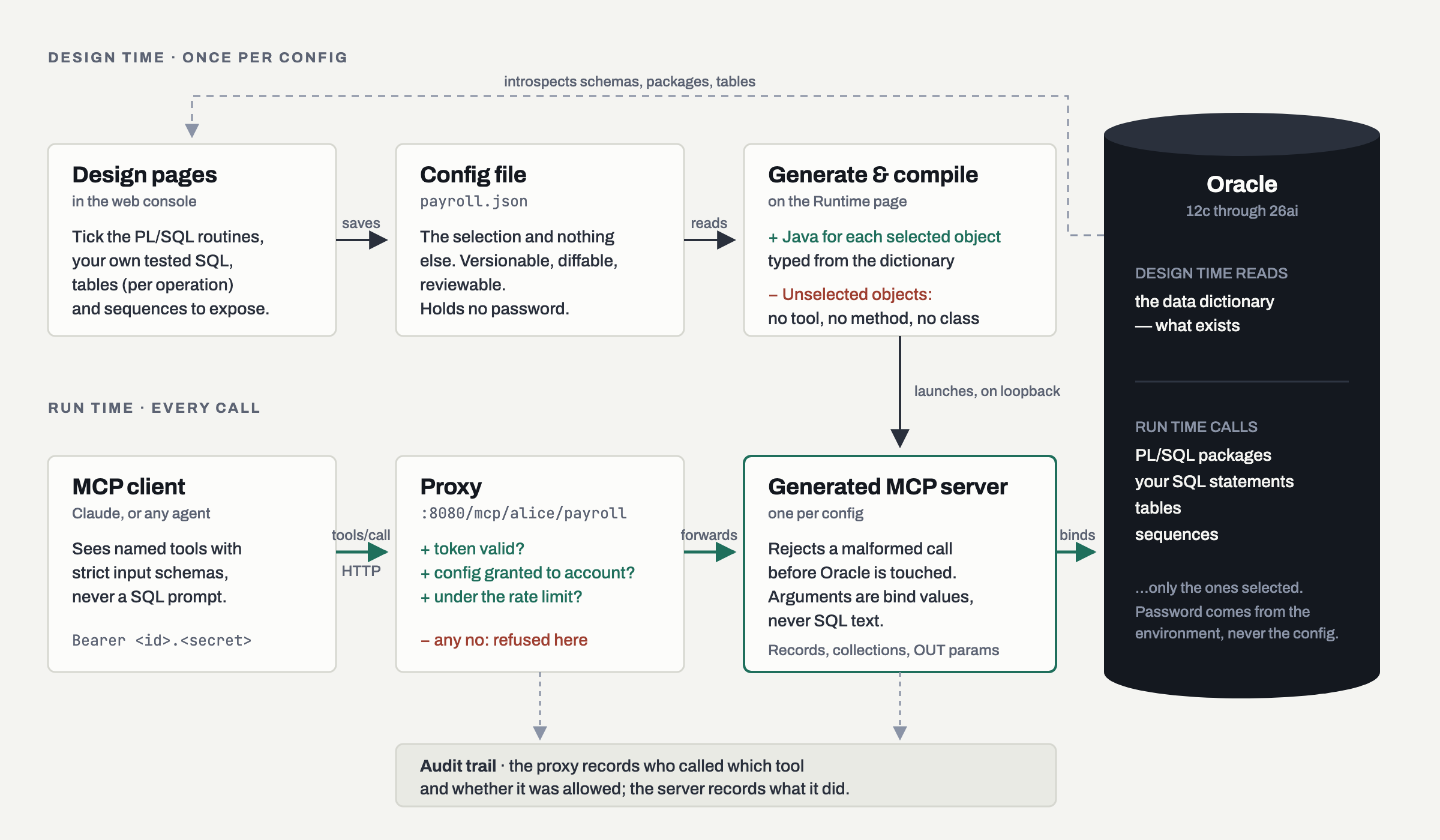
Least privilege is easy to claim and hard to verify. Here the config decides what is emitted: an object nobody selected has no tool, no method and no class. It is absent from the binary rather than guarded by a running process, so no prompt can reach it.
Your business rules are already in PL/SQL

Decades of validation, referential logic and audit behaviour live inside packages. MCPDBWizard calls those routines as they are — records, collections, ref cursors, and every OUT parameter returned — instead of asking a language model to reinvent the rules in a SELECT.

Every call is a named tool, not a query

Requests arrive as synuser_activity_log_get_by_pk(entry_id) against a strict schema — a misspelled argument is rejected before the database is touched. Far easier to log, rate-limit, review after the fact, and explain to an auditor.

Two audiences, two records

The proxy writes who called which tool and whether it was allowed; each server writes what the tool did and how it ended. Argument names always; values only if you turned that on, because a model chose them.

Oracle 12c through 26ai

Including the types added since: native JSON, BOOLEAN and VECTOR, and document CRUD over JSON-relational duality views. Anything that cannot cross JSON honestly — SDO_GEOMETRY, BFILE — is skipped whole, and the log says which and why.

Accounts, tokens and a grant matrix

Many accounts, many configs, one tick per grant. Two teams needing different tools over the same schema is two configs, not one config and a rule — which keeps the guarantee in the first panel intact.

Three steps, in order

  1. 01

    Select the objects

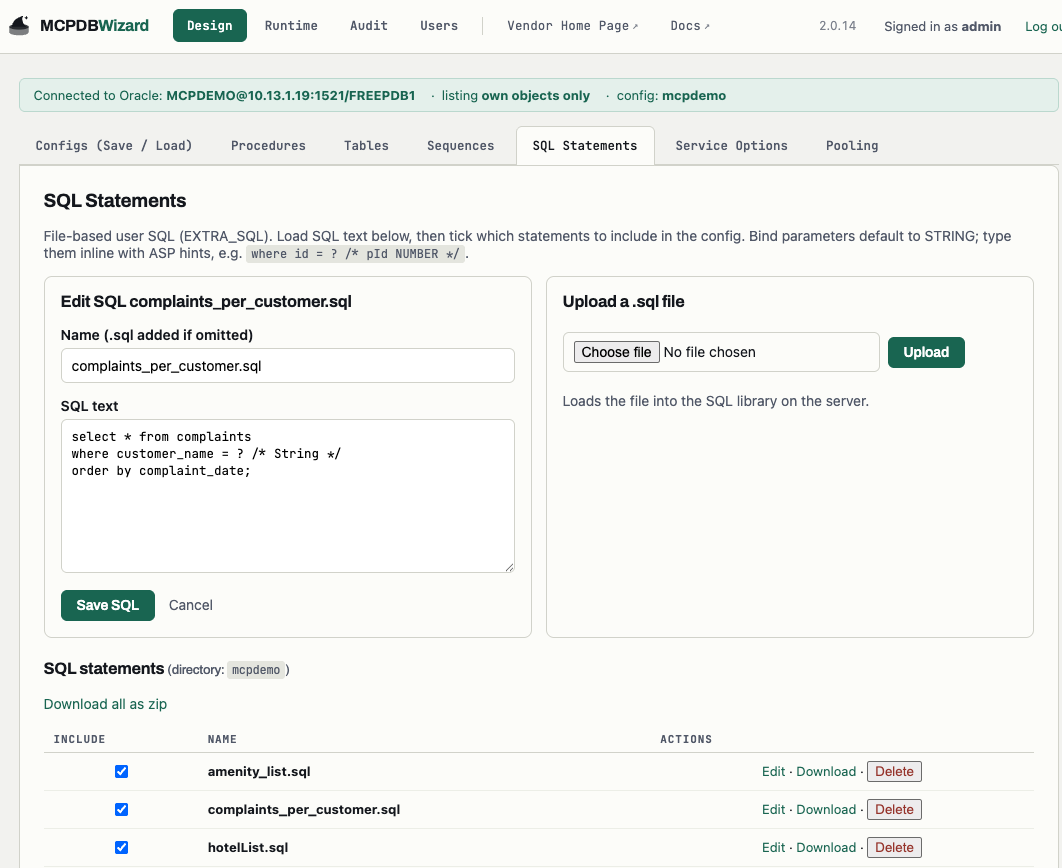
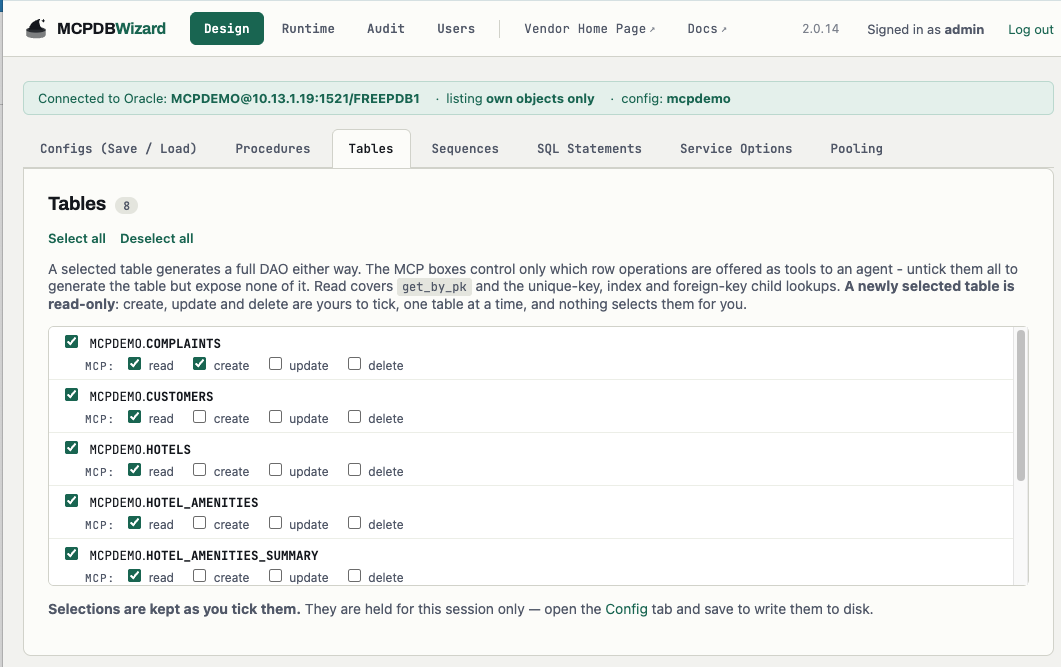
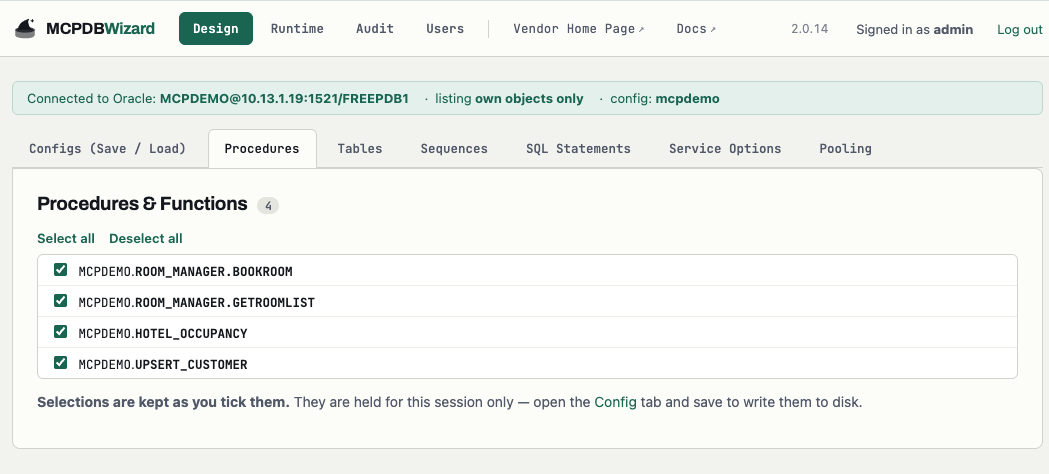
    Connect the Design pages to Oracle and tick the tables, PL/SQL packages and sequences you are willing to expose, plus any SQL statements you have written and tested yourself. That selection is saved as a config file — properties or JSON, versionable, and containing no password.

    # payroll.pb2 — the selection, not a policy
    MCP_SERVER=YES
    MCP_HTTP_TOKEN=YES
    
    TABLE_USER_0=SYNUSER
    TABLE_NAME_0=ACTIVITY_LOG
    
    PROC_USER_0=SYNUSER
    PROC_PACKAGE_0=JS_ADMIN
    PROC_NAME_0=GETADMINTOOLINFO
    
    SEQUENCE_USER_0=SYNUSER
    SEQUENCE_NAME_0=JOB_ID
    
    PASS=FROM_ENV_VARIABLE_DB_PASS
  2. 02

    Generate, compile, run

    The Runtime page emits Java for exactly those objects, compiles it, and launches it as its own server on loopback. Anything you did not select has no tool, no method and no class — it is absent from the binary rather than merely refused.

    docker run -d --name mcpdbwizard \
      -p 8080:8080 \
      -e MCPDBWIZARD_ORACLE_HOST=db.example.com \
      -e MCPDBWIZARD_ORACLE_PORT=1521 \
      -e MCPDBWIZARD_ORACLE_SID=/PDB1 \
      -e MCPDBWIZARD_ORACLE_USER=appuser \
      -e DB_PASS_FILE=/run/secrets/oracle \
      -v mcpdbwizard-demo:/data \
      mcpdbwizard-web
  3. 03

    Point your MCP client at the proxy

    Agents connect on 8080, over Streamable HTTP, with a token issued to their account. The proxy is the only component that knows who is calling — it checks the account, the grant and the rate limit, then forwards.

    {
      "mcpServers": {
        "payroll": {
          "url": "http://localhost:8080/mcp/payroll",
          "headers": {
            "Authorization": "Bearer <id>.<secret>"
          }
        }
      }
    }

The quickstart has the whole path, including issuing the token and granting the config.